
User-driven bug fixes in 2026.2
Every release includes a mix of new capabilities, workflow improvements, and quieter changes that make day-to-day use of our software more dependable. Some of the most valuable of these come directly from user-reported issues: practical problems encountered in real scientific workflows and passed on to us through our support desk.
In this release, we have addressed a number of user-submitted bugs in some of the most widely used areas of Mercury and the CSD Python API. Below, we highlight four fixes that improve visualisation, reporting consistency, and interoperability across common crystallographic and materials workflows.
More reliable molecule overlay visualisation
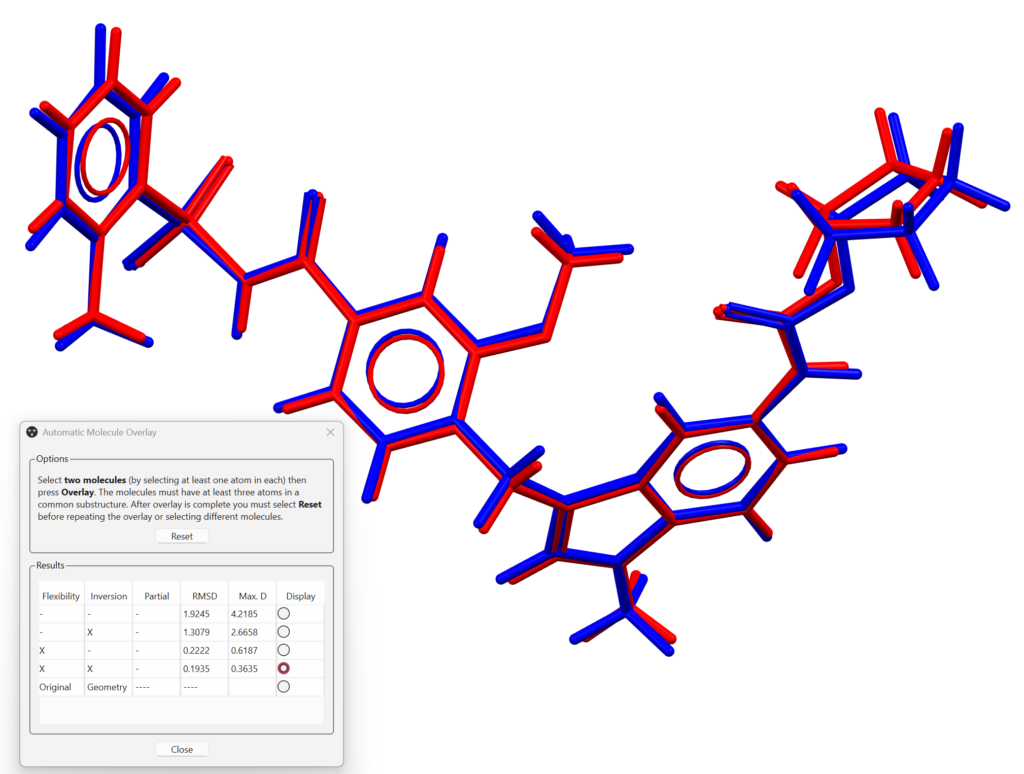
Mercury’s Molecule Overlay functionality is a core tool for comparing conformations, assessing similarity, and visually inspecting structural alignment. In one reported case, when Flexibility and Inversion were permitted the overlay calculations returned a low RMSD value, indicating a good match, but the structures shown in the visualiser were not actually superimposed as expected.
This issue has now been resolved. Overlay results are now displayed consistently with the underlying calculation, so when the software reports a close structural match, the visual representation reflects it correctly.
Polyhedral display now works for more metal cluster structures
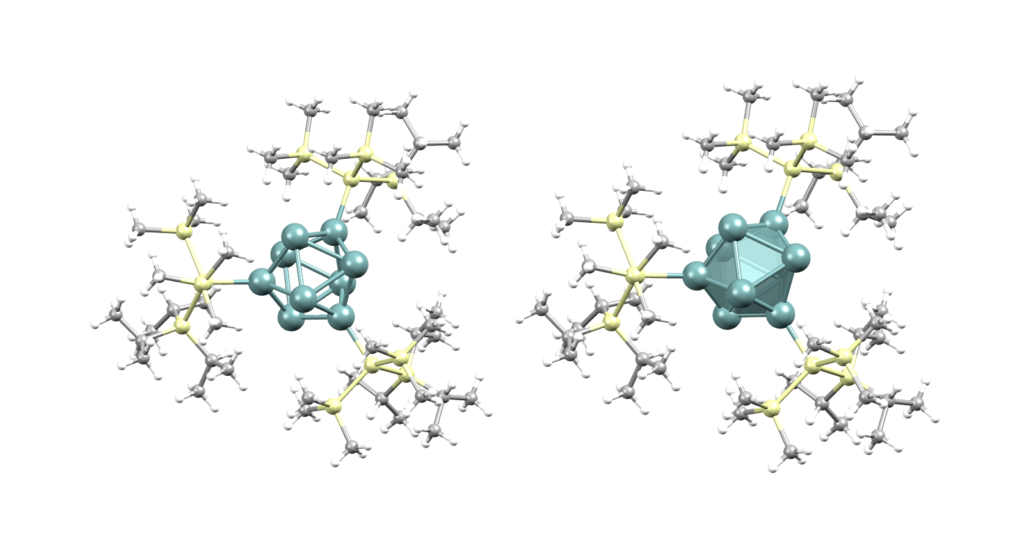
The Polyhedral display style is widely used to examine coordination environments in organometallic structures. A user report highlighted that some metal cluster systems could not be displayed as desired, as the style did not cope well with atoms that played more than one structural role within the cluster.
We have updated the polyhedral display style so that these more complex coordination environments can now be represented correctly. This improves visual interpretation for users working with cluster compounds and broadens the range of structures that can be explored using Mercury’s built-in display tools.
Consistent void-space reporting across Mercury and scripts
Void analysis is an important part of many solid-state and framework studies, whether performed interactively in Mercury or through automated reporting workflows. A user identified a discrepancy between values produced by the crystal_structure_report.py script and those shown by Mercury’s Voids tool.
We traced this to a difference in default grid spacing between the script and the graphical tool. These settings have now been aligned, and output precision has also been improved. As a result, users should now see consistent void-space values regardless of whether they work through the desktop interface or through the Python-based reporting workflow.
Custom XRDML exports now retain wavelength settings
For users simulating powder patterns in Mercury, export accuracy matters just as much as on-screen visualisation. One user-reported issue affected the export of simulated patterns to .xrdml, where custom secondary wavelength and intensity ratio settings were not being preserved in the output file.
This has now been corrected. Custom K-alpha 2 settings are retained in exported XRDML files, making it easier to move between Mercury and other diffraction software without losing important instrument parameters.
Why these fixes matter
Although these updates address individual bugs, they share a common theme: helping core workflows behave in the way users expect. Whether that means trusting a visual overlay, interpreting coordination geometry, reproducing a void analysis result, or exporting a powder pattern with the right parameters, these improvements reduce friction in everyday use.
We are very grateful to the users who took the time to report these issues. Feedback from real scientific workflows continues to play an essential role in improving the robustness and usability of our software.