
How to Generate Videos of Molecules from Mercury
Introduction
This blog post explains how to quickly create videos of molecular structures in Mercury, helping chemists and chemistry students enhance their crystallography‑based communication. A simple, accessible workflow to turn static crystal models into engaging visual animations for teaching, outreach, and publications is explained.
Top Takeaways
- Use Mercury to load any structure file (such as a CIF) or search directly via the Structure Navigator.
- Generate smooth rotational frames with POV‑Ray. Around 40 frames works well for a clean animation.
- Assemble the frames into a video using either Microsoft PowerPoint™ or the free tool ffmpeg.
- In PowerPoint, import the images as a photo album, adjust slide timing (0.12 seconds), and export as an HD video.
- This method works for any molecule, as illustrated with a sample video of the Diazepam crystal structure.
How to Get Started
If you have never presented a crystal model or its properties in a video, you can start now! It is easy and can be useful to emphasise specific features, whether for public outreach, in education, in a scientific presentation or a publication.
1. Load the Structure in Mercury
A simple way to produce a video with our freely available structural visualisation program Mercury is to load a structure as cif or type an entry in the Structure Navigator.
2. Create the Frames using POV-ray
You can then generate Animation Frames using POV-ray. We recommend 40 frames for a smooth rotation of your model. To begin select Render.
3. Combine the Images into a Video
The images can be combined into a video using Microsoft PowerPoint™ or the freely available video editing software ffmpeg.
To do this in PowerPoint, Choose to Insert Photo Album > New Photo Album. Pick insert picture from file/disk and select all 40 images (choosing fit to slide). Delete title slide and save presentation to disk. Select File > Export > Create a Video. Pick “Full HD” setting for resolution and 0.12 seconds for each slide. Click Create Video to output the final MP4 or WMV file to disk.
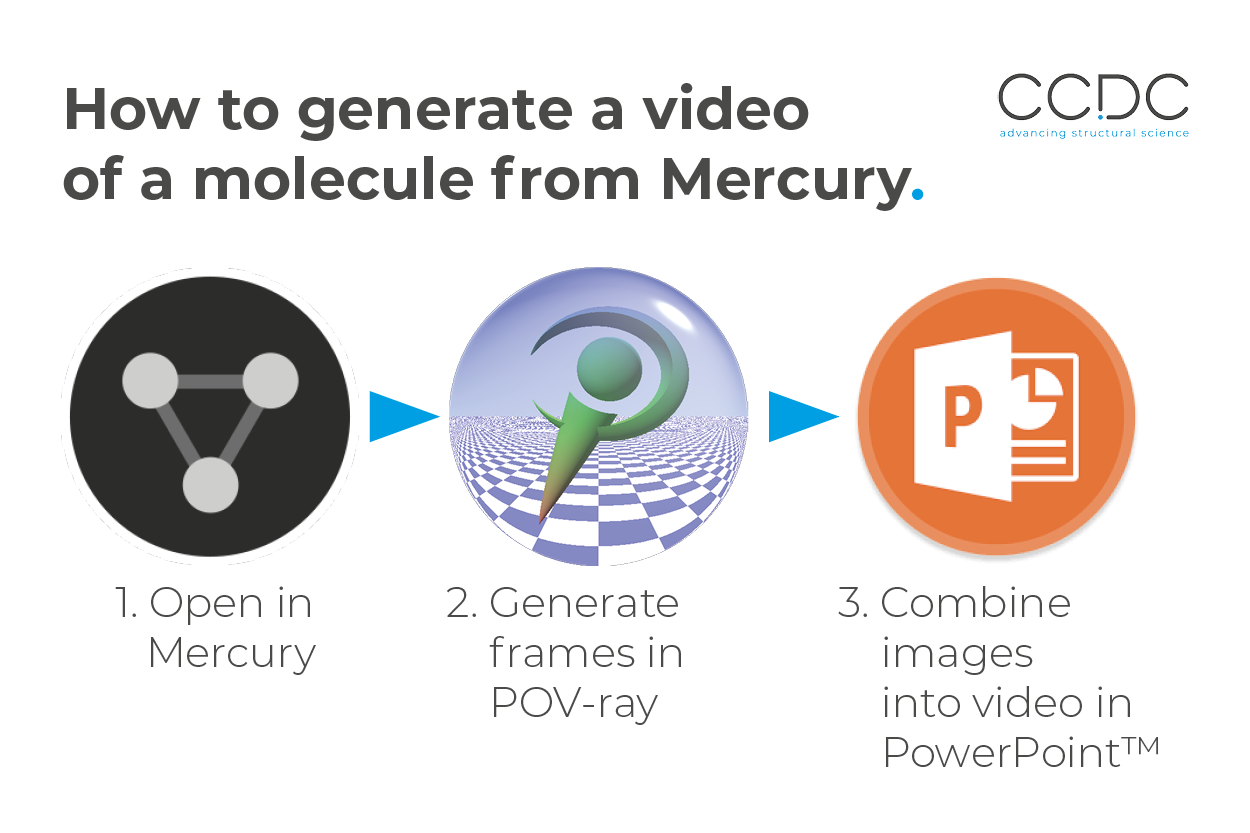
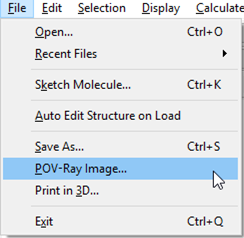
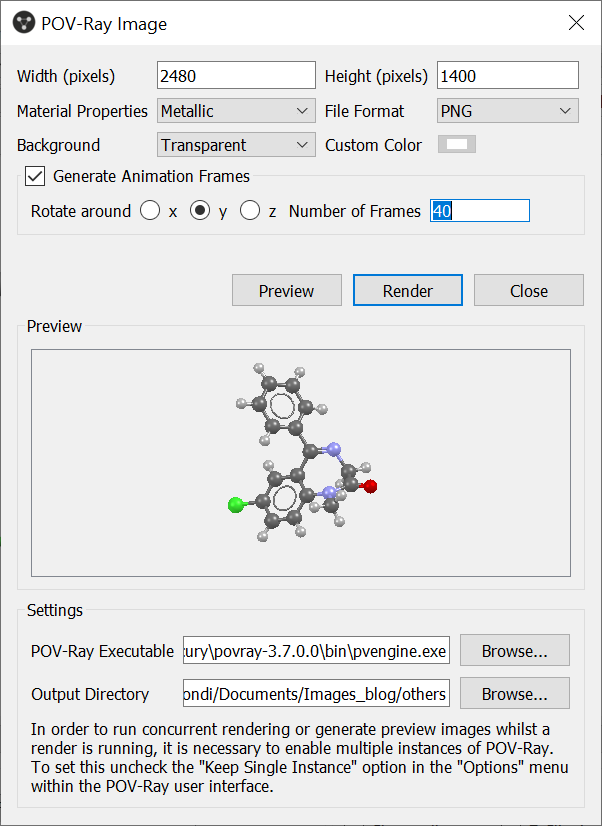
The basic workflow to produce a video of any crystal structure using Mercury.
Sample Video Generated from Mercury
For this video, we selected Diazepam crystal structure (ref code DIZPAM10) a well-known drug used typically for its calming effect. The image we used for the background was the first mechanical calculator used at CCDC.
Next Steps
Learn more about Mercury here, and get started with the free version straight away.